Workspaces
Metadatify uses Workspaces to manage Entities, Projects, and Templates amongst collaborators and organizations.
Workspace Switcher
A core component for managing Workspaces is the Workspace Switcher, located in the top left corner of the sidebar.
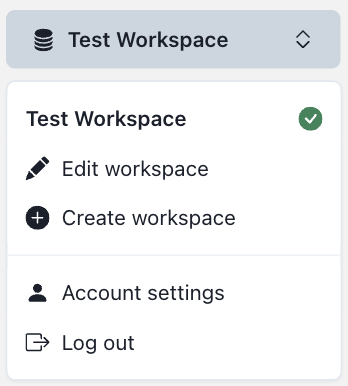
The Workspace Switcher displays a list of all Workspaces the user has access to. Clicking on a Workspace will switch the user to that Workspace, and the active Workspace has a green tick icon to the left of the Workspace name. The switcher has other actions including:
- Edit workspace: Navigates to the Workspace's settings page.
- Create workspace: Navigates to the Workspace creation page.
- Account settings: Navigates to the user's account settings page.
- Log out: Logs the user out of Metadatify and returns them to the login screen.
Managing Workspaces
At least one Workspace must be created before any other actions can be performed. Typically, users will create a Workspace on their first login, unless they have been added as a collaborator to an existing Workspace.
To update the Workspace, click the "Edit workspace" action in the Workspace Switcher. This will navigate to the Workspace's settings page:
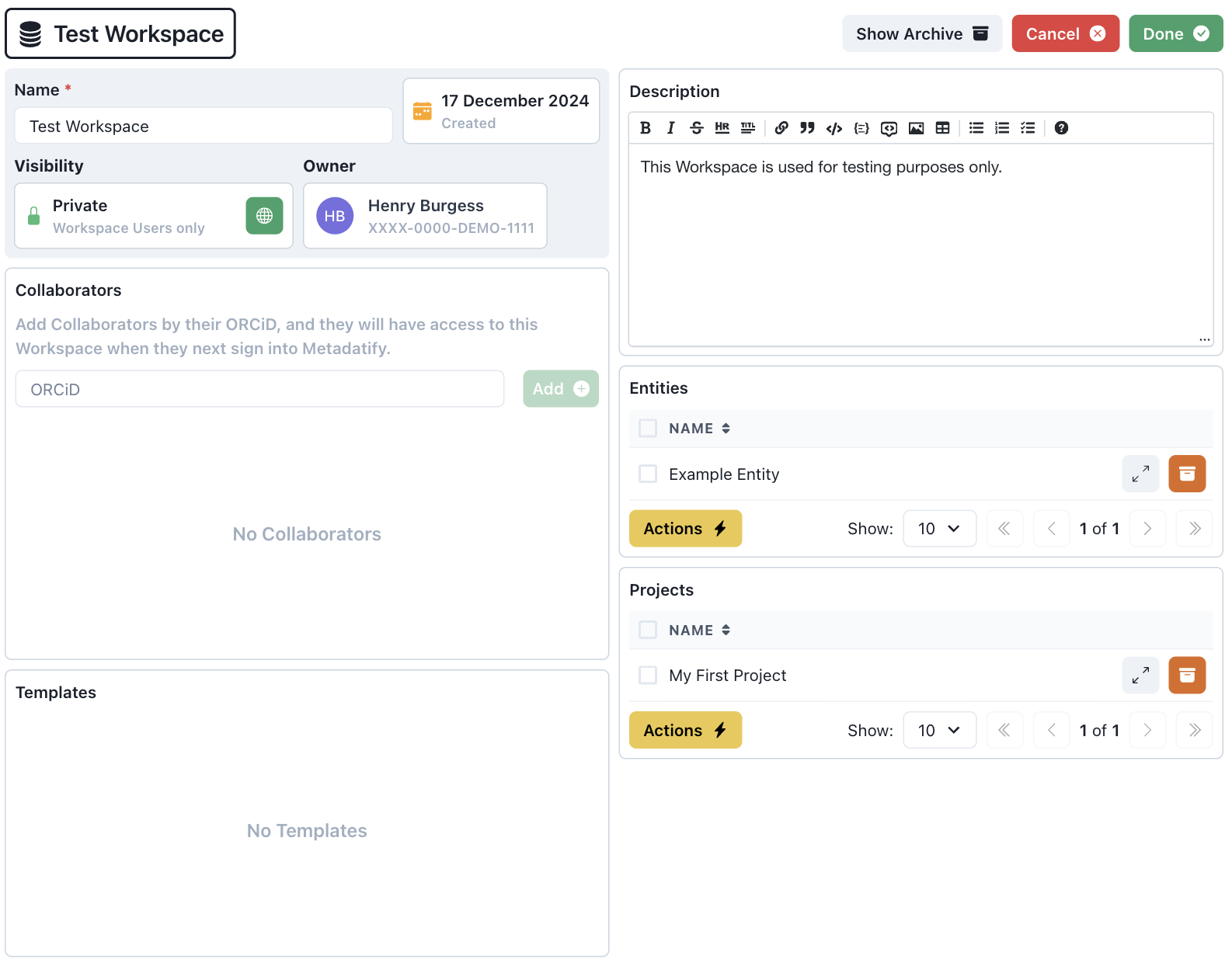
This page displays the Workspace's name, description, collaborators, archived metadata, and active Counters. The name and description can be updated, and collaborators can be added or removed. Archived Entities, Projects, and Templates can be viewed or restored. To restore archived metadata, click the corresponding orange "Restore" button.